Your gym. Fully connected. In the palm of your hand.
The Staff App gives your team the tools to coach better, sell faster, and operate more smoothly from anywhere in your gym.

.svg)
.svg)
Know who’s walking in before they walk in
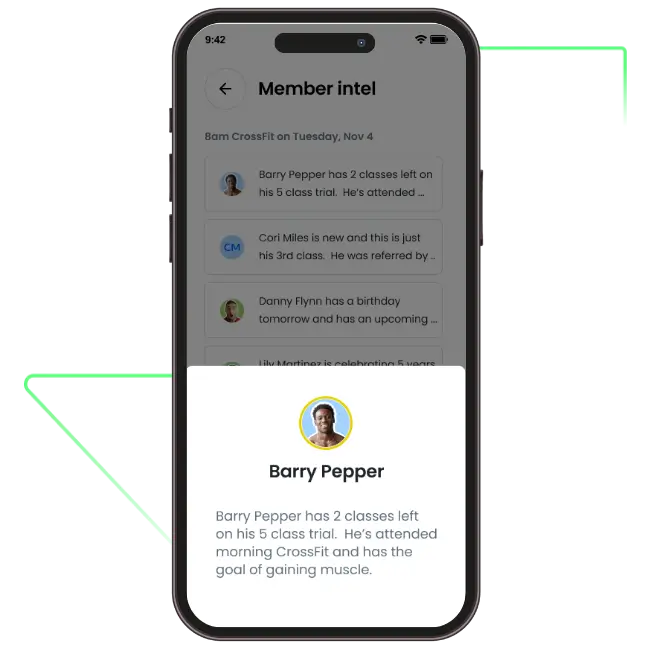
Member Intel surfaces the context that matters most before class starts. Coaches see the right insights directly inside the roster. No searching. No prep.
Walk in prepared
See new members, trials, birthdays, anniversaries, and injury notes ahead of class.
Personal without extra work
Insights are generated automatically and reviewed in minutes.
Coach smarter
Deliver safer, more thoughtful classes that improve retention.
Keep the front desk moving
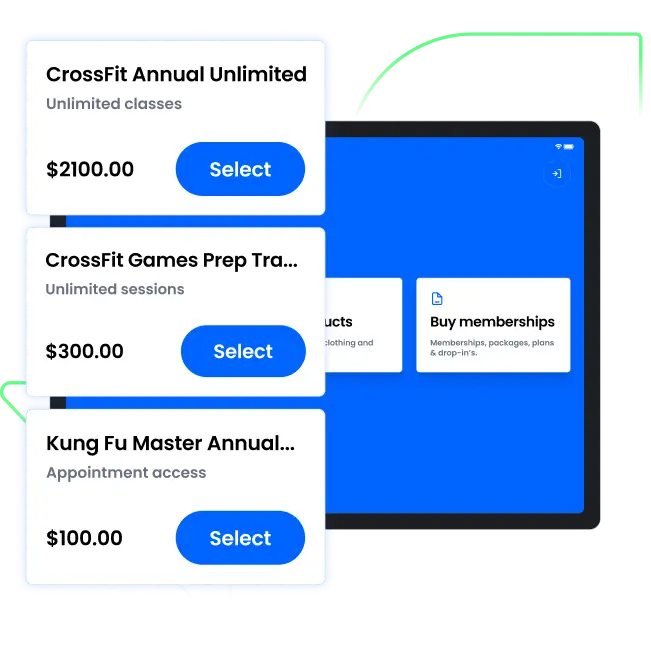
Turn a tablet into a self serve check in and sales station. Free up staff while reducing lines.
Self check in
Members check themselves in quickly without waiting.
Sell plans and merch on the spot
Prospects can select and purchase memberships and products instantly.
Reduce congestion
Handle peak traffic without adding payroll.
Close revenue on the spot
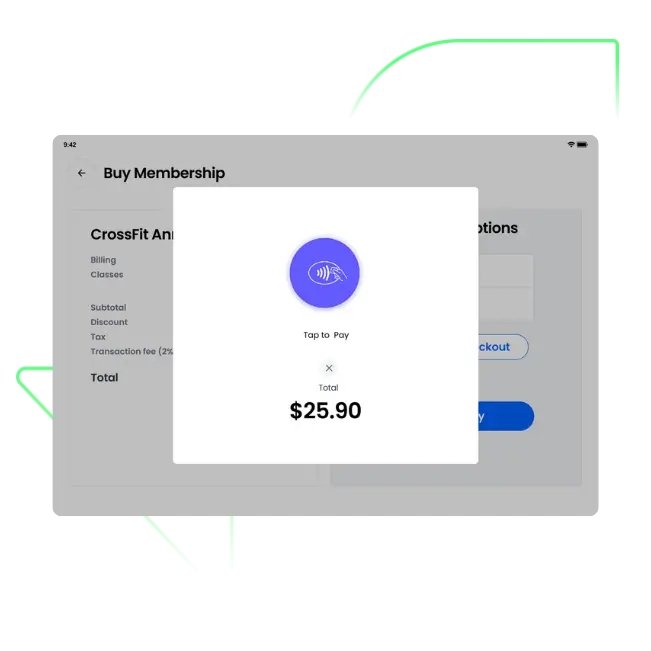
Staff can complete purchases directly from their phone or tablet. No sending members to a computer.
Tap to Pay with Stripe
Built directly on Stripe so payments flow into Core automatically. No third party reconciliation. No extra systems.
Flexible checkout
Sell memberships, retail, and drop ins with full sync across billing.
Faster transactions
Collect payment wherever the conversation happens.
Keep everyone aligned
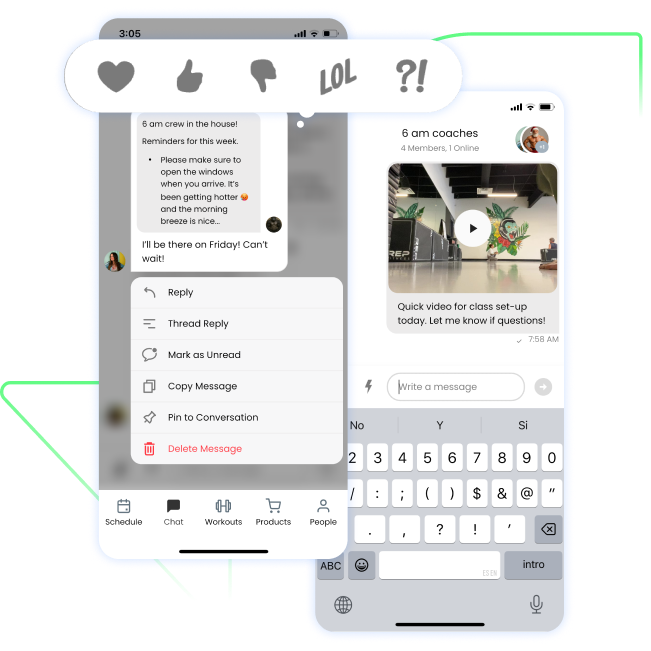
Built in messaging keeps staff connected without third party apps.
Direct and group messaging
Coordinate quickly across roles.
Context attached
Discuss members and classes with the right information in view.
Fewer gaps
Reduce missed notes and confusion.
Operate where the work happens
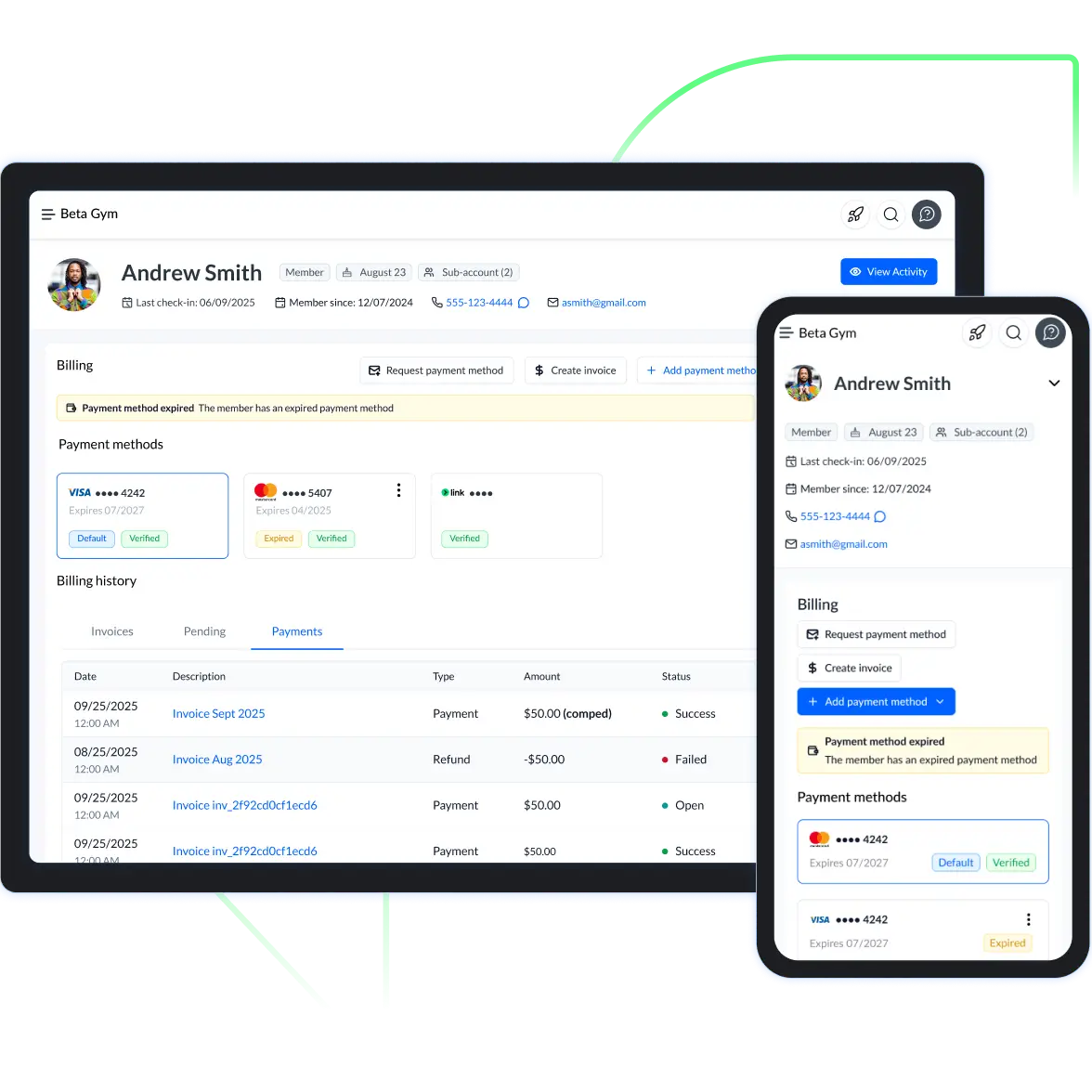
Access profiles, manage attendance, and handle issues from the gym floor.
Member profiles
View contact info, attendance, and notes instantly.
Real time updates
Manage reservations and check ins on the spot.
Resolve issues fast
Adjust memberships, review account status, and answer member questions without sending them to the front desk.
Questions? We've Got Answers.
What is the PushPress Staff App?
The PushPress Staff App is a mobile app for gym staff, coaches, and front-desk teams. It runs on iOS and Android, and covers about 95% of daily in-gym operations: check-ins, member management, scheduling, in-app sales, internal messaging, and appointment booking. It also includes a dedicated Kiosk Mode that turns a tablet at the front desk into a self-service check-in and purchase station for members. The Staff App is included with PushPress Core at every plan tier.
How does the PushPress Staff App handle gym check-ins?
Three ways. Members can check themselves in through the PushPress member app on their phone. They can use a Kiosk Mode tablet at the front desk. Or staff can check them in from the Staff App, either one at a time or in bulk for a whole class roster. Coaches can prep before a class by pulling up the daily roster, viewing member notes and injuries, and identifying new leads or trial members in the same view. Attendance data flows directly into PushPress Core's retention reporting.
Can the Staff App process product sales and member charges?
Yes. Staff can sell products directly from the app, apply discounts, assign charges to specific member profiles for billing, and accept guest checkout for non-members. Kiosk Mode also lets members purchase products and membership plans on their own. Every sale is logged in PushPress Core in real time.
What's the difference between Staff Mode and Kiosk Mode?
Staff Mode is for your team. Coaches and front-desk staff use it on their own phones or tablets to check members in, view rosters and class schedules, look up member profiles and notes, send chat messages to other staff, and process sales. Kiosk Mode is for members. Set up a tablet at the front of the gym, lock it with a PIN, and members can check themselves in, sign waivers, buy products, and purchase membership plans without any staff involvement. Both modes use the same app and the same backend, so every check-in and sale syncs immediately to PushPress Core.
Is the PushPress Staff App included with my plan?
Yes. The Staff App is included with every PushPress Core plan, Free through Max, at no extra cost. There is no per-user or per-coach fee. Add as many staff accounts as you need.
Does the Staff App include staff messaging or chat?
Yes. Built-in chat lets staff send direct messages to one another and create public or private group chats for team coordination. Permissions are tied to staff roles, so the right people see the right channels. Your team stops bouncing between WhatsApp, iMessage, and Slack to run the gym.
Ready to empower your team?
See how the Staff App helps your coaches coach better and your gym run smoother.
.webp)